
remote team communication tools
The 12 Best Remote Team Communication Tools for 2025

Navigating the crowded market of remote team communication tools can feel overwhelming. With distributed work now a standard operating model for many businesses, the software that connects your team is no longer a luxury, it's the central nervous system of your entire operation. A disjointed or inefficient tech stack leads to missed messages, siloed information, and a frustrated workforce. This guide is designed to cut through the noise and provide a clear, practical roadmap for selecting the right tools.
We have compiled a comprehensive resource that moves beyond generic feature lists. Instead, we focus on the practical application of each platform, organizing them into distinct categories based on their core function: persistent chat, video conferencing, team collaboration, and business phone systems like YodelPhone. This structure allows you to identify and solve specific communication bottlenecks within your workflow.
Inside this guide, you will find detailed analysis for each tool, complete with screenshots, direct links, and transparent pricing information. We offer an honest assessment of limitations, highlight specific use-case scenarios, and provide insights into implementation considerations. Whether you're a small business with international clients, a freelancer managing cross-border projects, or a large distributed enterprise, our goal is to help you build a cohesive and powerful communication toolkit. We'll explore how platforms like Slack, Microsoft Teams, Zoom, and YodelPhone can be integrated to create a seamless operational environment, ultimately empowering your team to collaborate effectively, no matter where they are located.
For remote teams needing instant, reliable international voice communication without the friction of software installations or long-term contracts, YodelPhone presents a compelling and streamlined solution. As a browser-based calling platform, it eliminates setup complexity entirely. Users can create an account, add credits, and start making crystal-clear, encrypted calls to over 180 countries directly from their web browser in seconds. This accessibility makes it a standout among remote team communication tools, particularly for organizations with globally distributed members who need a simple, unified calling system.
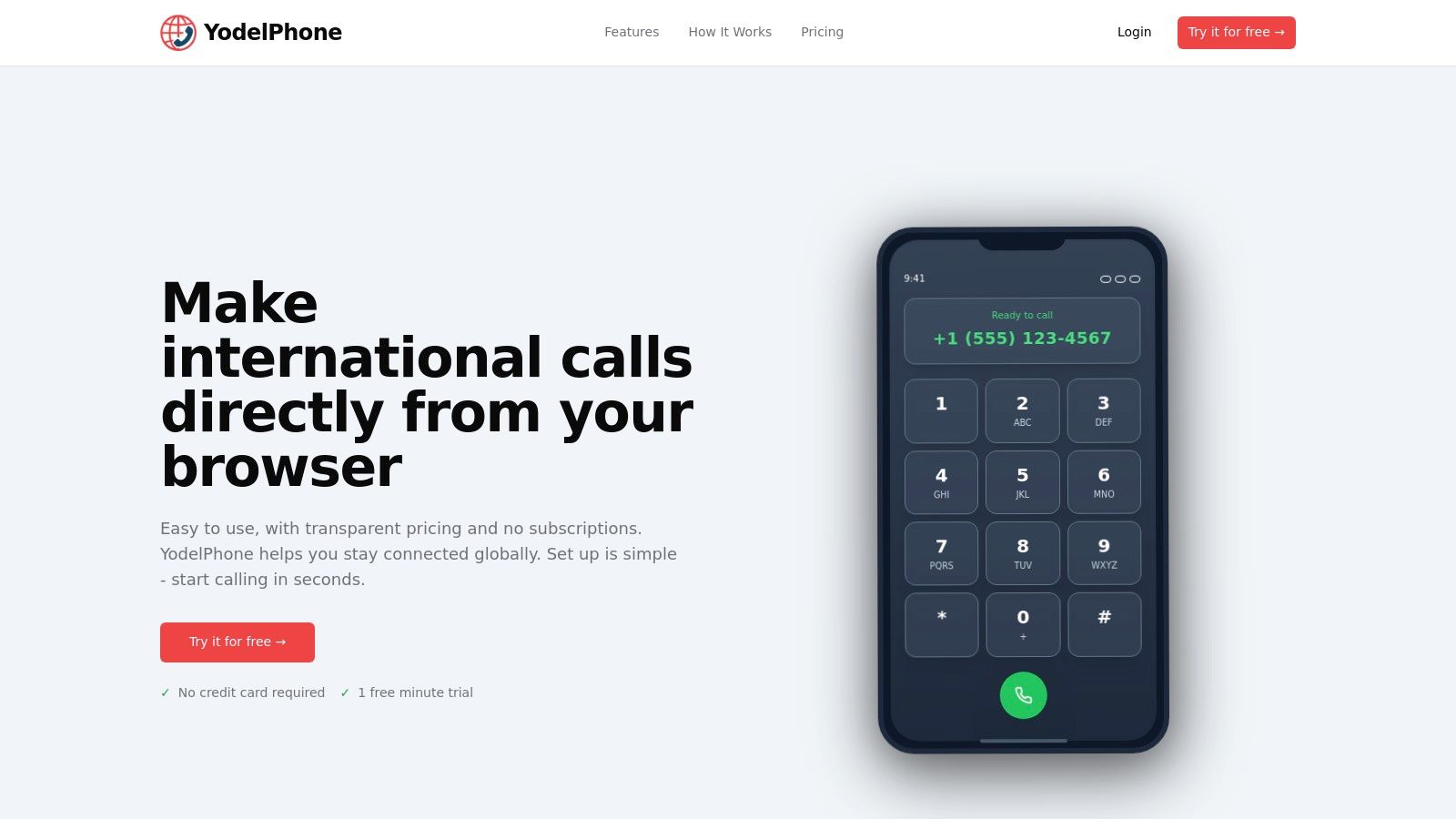
YodelPhone’s strength lies in its balance of simplicity and professional-grade features. The pay-as-you-go model ensures teams only pay for what they use, offering transparent, competitive per-minute rates (e.g., $0.019/min to the US) without any subscription fees. This model is ideal for startups, small businesses, and freelancers managing variable communication costs.
While its pay-as-you-go structure might be less cost-effective for teams with extremely high call volumes compared to unlimited plans, its flexibility and robust feature set make it a top-tier choice for most remote organizations. The platform offers a free one-minute trial without requiring a credit card, making it easy to test its quality and interface. If you're exploring VoIP options, you can see how YodelPhone stacks up against other top international calling apps.
Website: https://yodelphone.com
Slack is a channel-based messaging platform that has become a cornerstone of remote team communication tools for countless organizations. It centralizes conversations, files, and tools into a single, searchable archive, reducing reliance on email and fragmented communication streams. The platform’s core strength lies in its Channels, which can be organized by project, team, or topic, ensuring discussions remain focused and accessible to relevant team members.
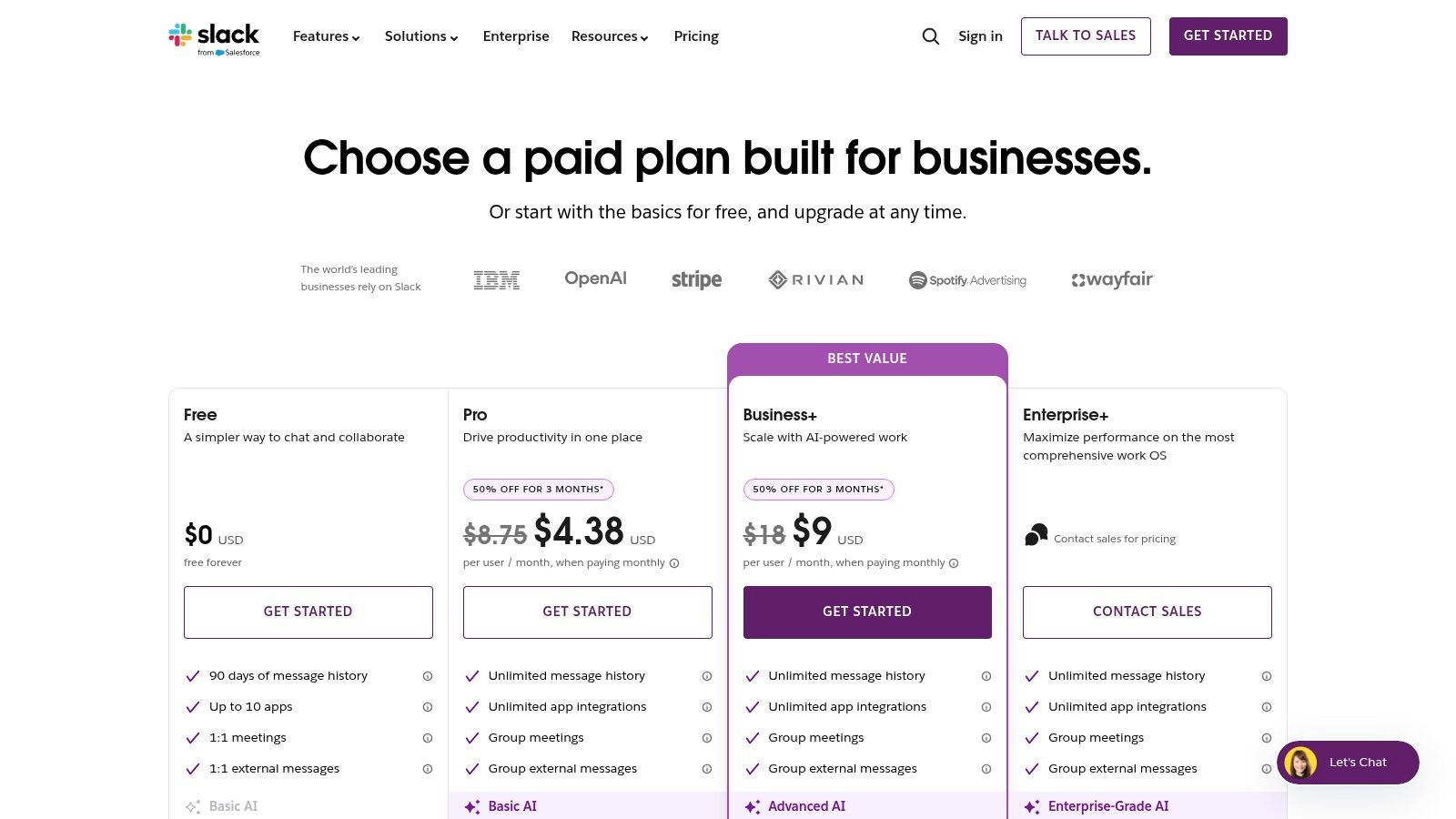
Its real-time messaging is complemented by Huddles, quick audio or video chats with screen sharing, perfect for spontaneous collaboration without scheduling a formal meeting. Where Slack truly excels is its massive ecosystem of over 2,600 integrations. You can connect it to project management tools like Jira, file storage like Google Drive, and even business phone systems like Yodel, allowing teams to receive and make calls directly within the Slack interface.
The user experience is generally intuitive, though the sheer volume of channels and notifications can become overwhelming without clear governance policies. Slack's recent AI additions, available on paid plans, provide powerful summaries for long threads and channels, helping users catch up quickly.
Website: https://slack.com/pricing
Microsoft Teams is a unified communication and collaboration platform that bundles chat, video meetings, file storage, and application integration into a single workspace. For organizations already invested in the Microsoft 365 ecosystem, it serves as a natural extension, offering deep integration with familiar apps like Outlook, SharePoint, and OneDrive. Its structure is built around Teams and Channels, providing a hierarchical way to organize conversations and files by department or project, similar to other remote team communication tools.

The platform goes beyond simple chat, positioning itself as a central hub for teamwork. Its video conferencing is robust, supporting large meetings, webinars, and live events with features like together mode and breakout rooms. For businesses needing a complete telephony solution, the Teams Phone add-on provides cloud-based PSTN calling, turning Teams into a comprehensive business phone system. This deep feature set, combined with enterprise-grade security and compliance controls, makes it a powerful contender, especially for established businesses.
The user experience feels familiar to anyone accustomed to Microsoft software, but its breadth of features can be overwhelming for smaller teams not using the full M365 suite. The interface is more structured than some competitors, which can be an advantage for large-scale IT management but may feel less fluid for fast-moving startups.
Website: https://www.microsoft.com/en-us/microsoft-teams/compare-microsoft-teams-options?utm_source=openai
Zoom Workplace has solidified its position as a video-first leader among remote team communication tools, renowned for its best-in-class HD meeting reliability and quality. The platform has expanded into a unified "Workplace" offering, integrating team chat, a cloud phone system, a digital whiteboard, and asynchronous video clips. Its core strength remains its unparalleled meeting experience, which provides a stable and intuitive interface that works seamlessly across devices.
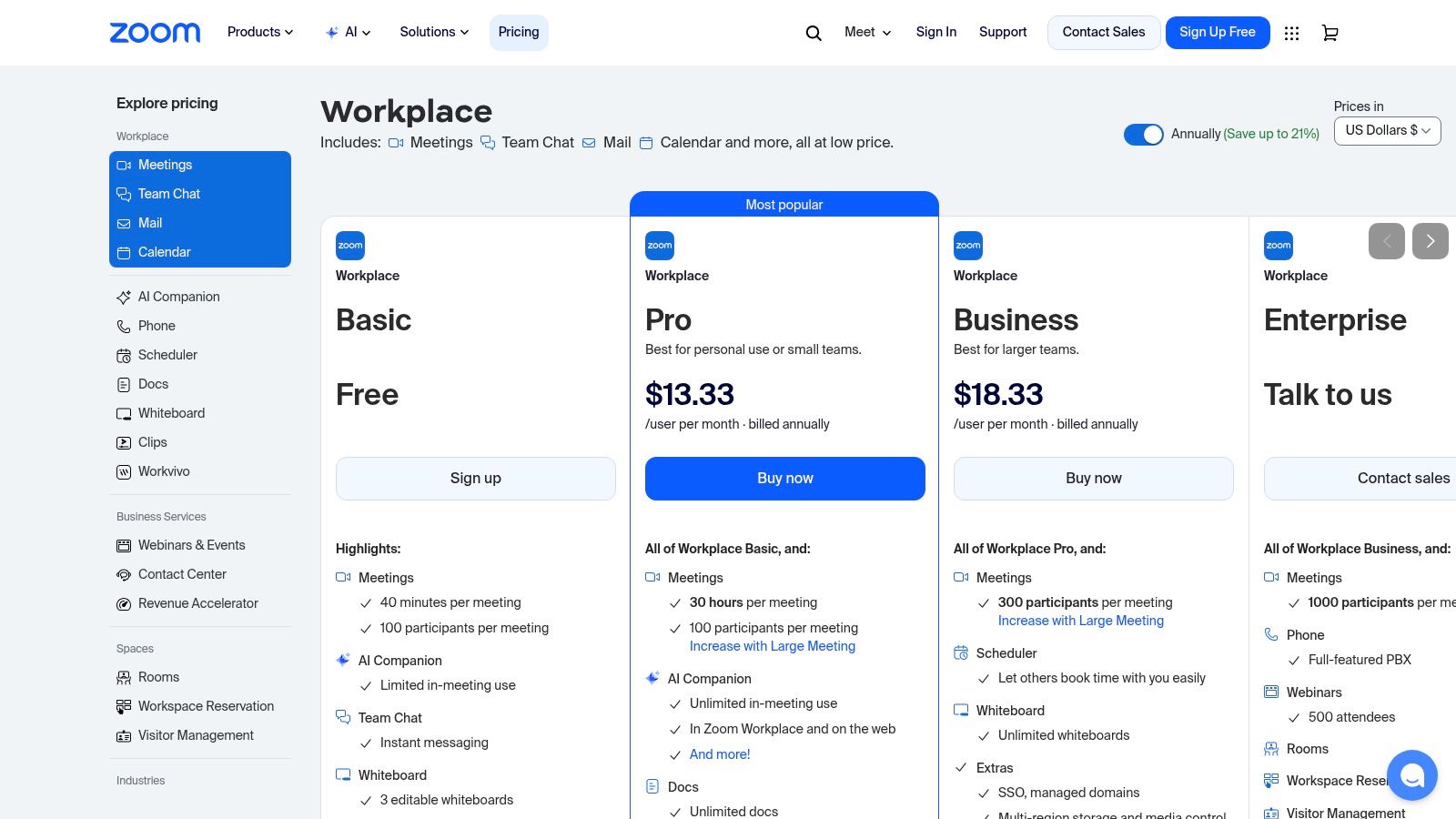
The ecosystem extends beyond simple meetings with features like Zoom Phone, a robust cloud PBX system, and dedicated Zoom Rooms hardware, creating a comprehensive solution for hybrid teams. Its AI Companion, included with paid plans, offers powerful in-meeting assistance like real-time summaries and next-step generation. This makes it an excellent Skype replacement for businesses needing advanced video and voice capabilities in one package.
While the meeting interface is famously user-friendly, navigating the full Workplace suite and its various add-ons can present a learning curve. The AI Companion adds significant value by automating routine meeting tasks, allowing teams to focus on collaboration rather than note-taking.
Website: https://zoom.us/pricing
Google Workspace bundles its powerful productivity suite (Gmail, Drive, Docs) with integrated communication tools, making it a natural choice for teams already embedded in the Google ecosystem. It offers a seamless, browser-native experience where collaboration on documents flows directly into conversation. The suite’s main communication components are Google Chat for persistent, threaded conversations in "Spaces" and Google Meet for high-quality video conferencing.
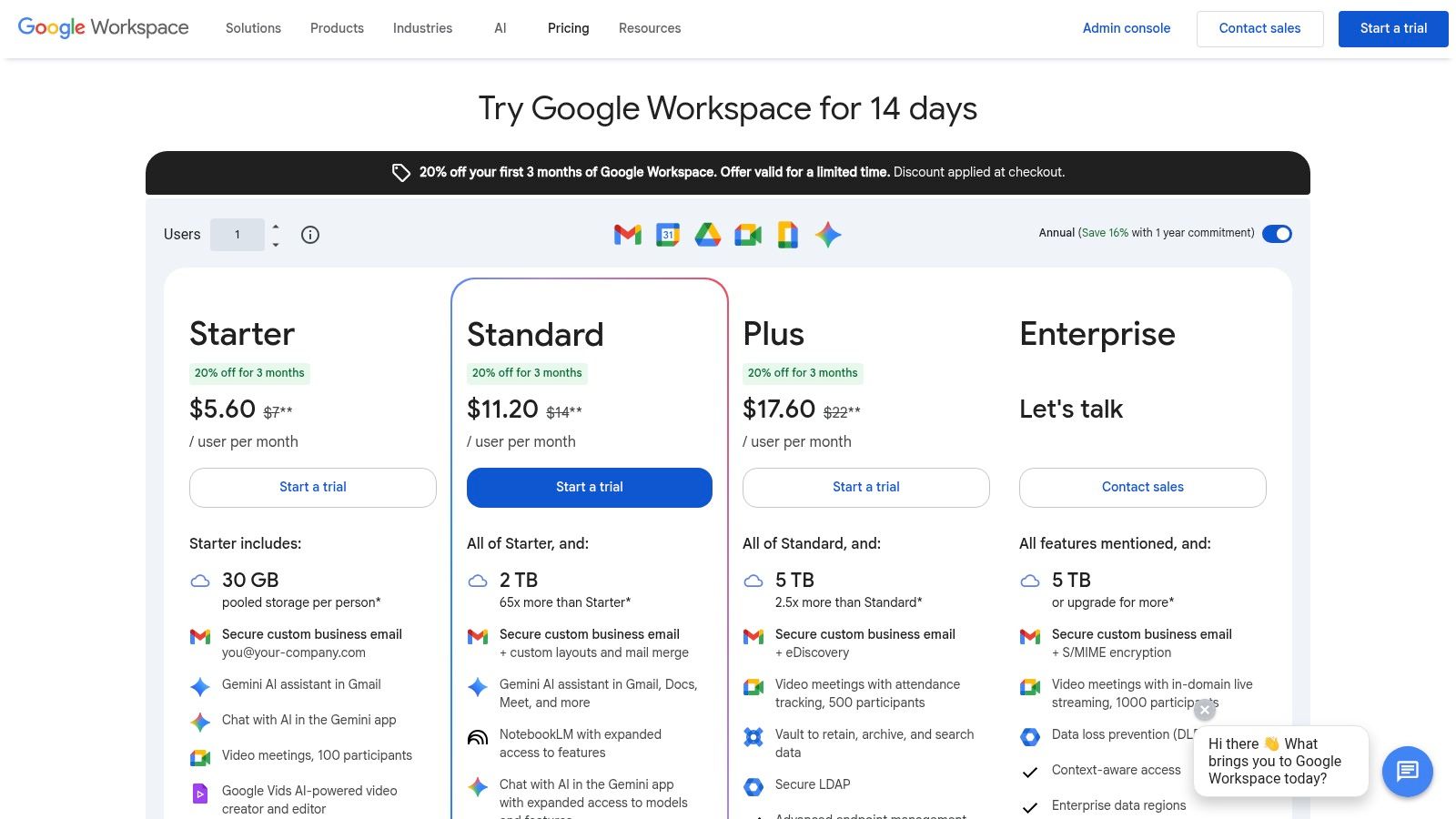
What sets Workspace apart is its deep integration and increasingly powerful AI. Real-time collaboration in Docs, Sheets, and Slides is a core strength, allowing multiple users to edit and comment simultaneously. The recent addition of Gemini AI across the suite enhances this by offering smart summaries in Gmail and Docs, and eventually, note-taking and action-item tracking in Meet. This positions Workspace as an all-in-one hub for teams that prioritize live document editing and a unified workflow without switching apps.
The user experience is incredibly familiar to anyone who has used Gmail, making adoption straightforward for most teams. The primary advantage is reducing context switching, as chat, video, and work documents all live within the same environment. However, organizations heavily reliant on Microsoft Office may face a significant change management process when migrating.
Website: https://workspace.google.com/pricing.html
Webex Suite is Cisco's all-in-one collaboration platform, consolidating meetings, messaging, and cloud-based calling into a single, secure ecosystem. It stands out as a powerful enterprise-grade solution among remote team communication tools, particularly for organizations where security and compliance are paramount. The platform offers a unified experience, from high-definition video meetings with AI-powered noise removal to a persistent messaging space for team chats.
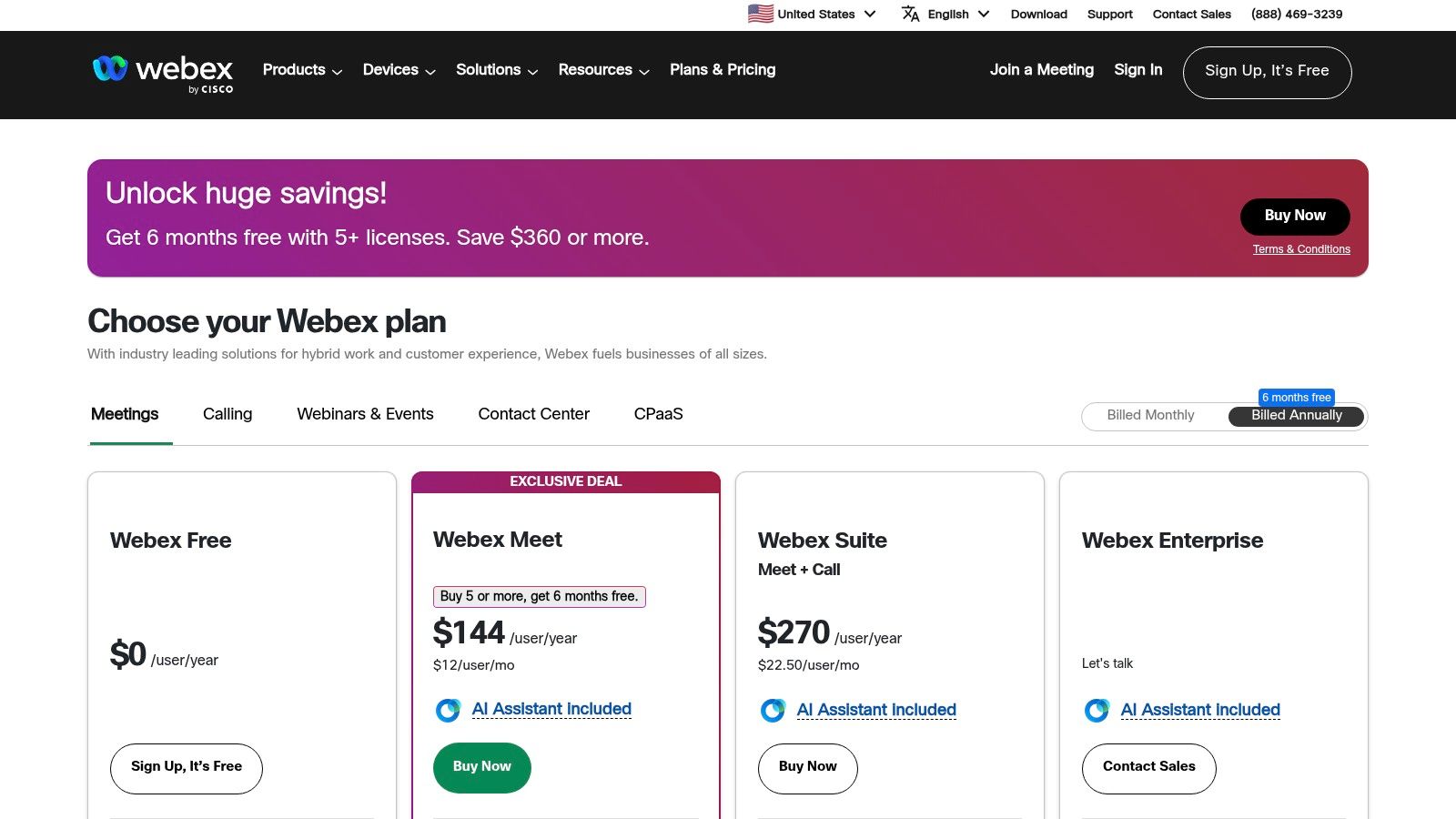
A key differentiator is its robust Webex Calling feature, a full-fledged cloud PBX system that replaces traditional office phone systems. This allows for seamless voice communication across devices. The suite also includes Vidcast for asynchronous video messaging and extensive capabilities for hosting large-scale webinars and events. Its strength in security is underscored by its FedRAMP authorization, making it a trusted choice for government and public-sector clients.
The platform's AI Assistant adds significant value by providing real-time translations, meeting summaries, and action items, helping teams stay aligned. While the comprehensive nature of the suite is a major advantage, the administrative user experience can feel more complex than some competitors, and unlocking certain advanced features may require specific add-ons or higher-tier plans.
Website: https://pricing.webex.com/?utm_source=openai
RingCentral is a comprehensive cloud communications platform that excels at unifying business telephony, messaging, and video meetings. It is particularly effective for remote teams looking to replace traditional on-premise PBX systems with a robust, cloud-native solution. The platform consolidates calls, SMS/MMS, team chat, and video conferencing into a single application, streamlining communication workflows for distributed workforces.
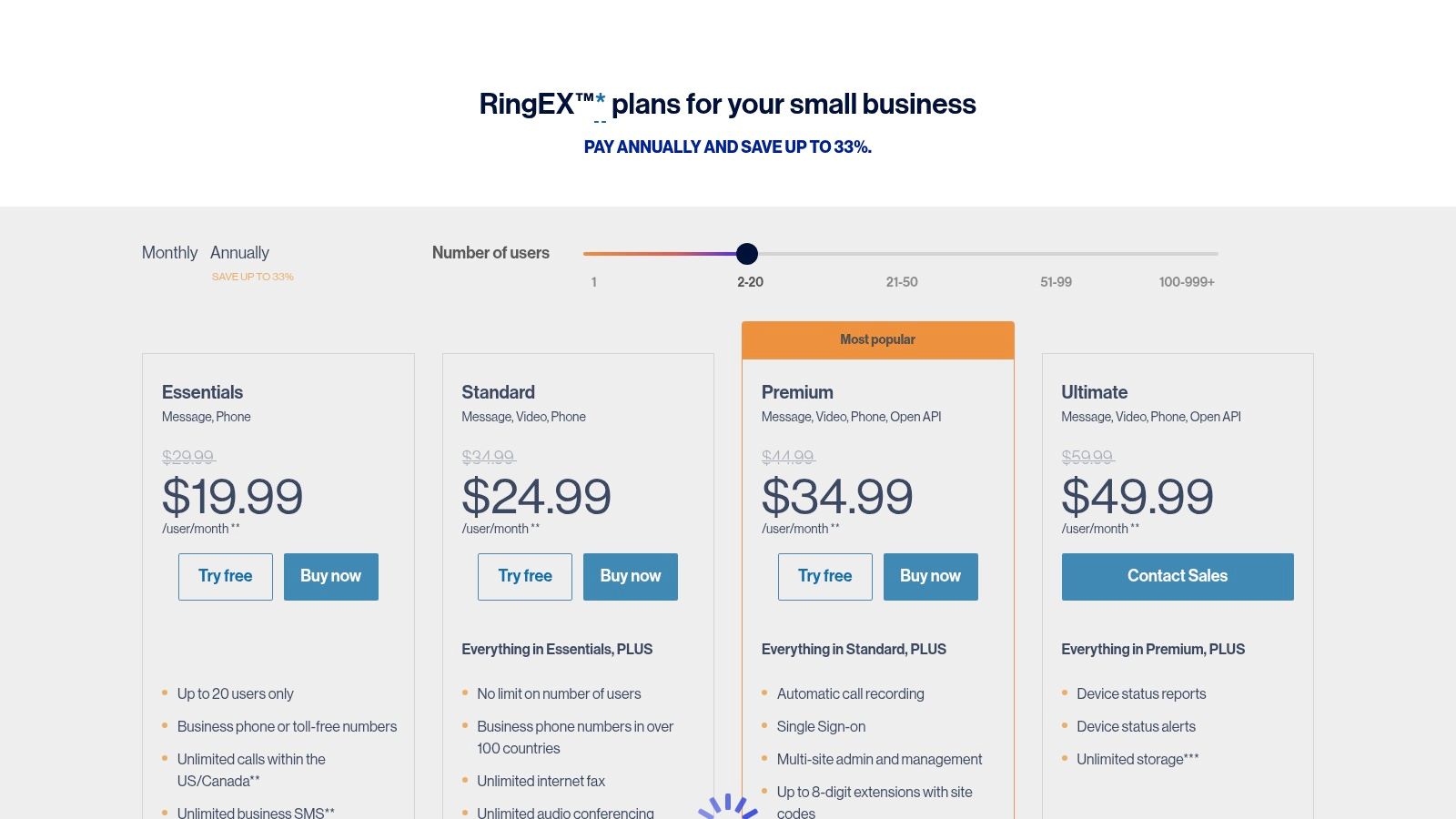
Its core strength is its mature and feature-rich telephony service, offering everything from an auto-attendant and advanced call routing to detailed analytics. With support for global phone numbers, it's a powerful tool for companies with an international footprint. You can learn more about making business calls to different countries in our guide on how to make international calls. Furthermore, RingCentral boasts over 300 integrations with key business systems like Salesforce, Zendesk, and the Microsoft and Google suites, making it one of the most versatile remote team communication tools for enterprise-level needs.
The platform provides rich administrative tools that give IT and operations teams granular control over the communication system. However, the multi-tiered pricing and contract terms can be complex, and user experiences with customer support have been known to vary.
Website: https://www.ringcentral.com/shared/content/dc/plan-pricing-v5.html
Originally a haven for gaming communities, Discord has evolved into a powerful and lightweight communication platform adopted by many remote teams, especially in the developer and creative spaces. It combines persistent text channels, high-quality, low-latency voice chat, and video streaming into a single application. Its standout feature is the concept of Always-On Voice Channels, where team members can drop in and out of conversations seamlessly, mimicking the spontaneous "over-the-desk" chats of a physical office.

Unlike more corporate-focused remote team communication tools, Discord's strength lies in its speed and flexibility. It offers robust role and permission systems, allowing for granular control over who can see and interact with specific channels. The platform is also highly extensible through a vast ecosystem of bots, which can be used to automate everything from server announcements and task management to integrating with development tools like GitHub. The user experience is fast and less formal, fostering a more community-oriented feel.
Discord excels at real-time, fluid interaction but may lack the robust, enterprise-grade security and compliance features found in competitors like Slack or Microsoft Teams. Its file upload limits on the free tier can be restrictive, encouraging users to upgrade to Nitro for higher-quality streaming and larger file transfers.
Website: https://discord.com/nitro?utm_source=openai
Loom is an asynchronous video messaging platform designed to reduce the dependency on live meetings and long-winded emails. It allows users to record their screen, camera, or both with a single click, creating instantly shareable videos for updates, code reviews, and product walkthroughs. The platform is a key player among remote team communication tools for organizations embracing an async-first culture, enabling clearer, more personal communication without the need to align calendars.

Its core strength lies in its simplicity and speed; a video can be recorded and shared via a link in minutes. Loom automatically generates transcriptions and closed captions, making content accessible and searchable. Where it stands out is its growing suite of AI features, which can generate summaries, chapters, and action items from recordings, saving valuable time. Integrations with tools like Slack, Jira, and Notion allow videos to be embedded directly into existing workflows.
The user experience is exceptionally intuitive, making it easy for non-technical team members to adopt. However, as video creation becomes more frequent, organizations need a clear strategy for managing and archiving content to prevent a cluttered and unsearchable video library. The analytics feature, which shows who has watched a video, adds a layer of accountability often missing in text-based async updates.
Website: https://www.loom.com/pricing
Mattermost is an open-source messaging platform designed for organizations that prioritize data control, security, and deep technical integration. It provides a secure collaboration hub with channels, threaded discussions, and file sharing, available as either a self-hosted or cloud solution. The platform’s core strength is its flexibility and data ownership, making it a preferred choice for developers, public sector agencies, and regulated industries that require strict compliance and custom deployments.
Similar to other remote team communication tools, it offers real-time messaging, one-on-one audio calls, and screen sharing. Where Mattermost truly distinguishes itself is through its powerful DevOps integrations with tools like Jira, GitHub, and GitLab, enabling technical teams to build streamlined, command-line-driven workflows directly within their chat environment. Its extensibility allows for highly customized solutions, from automated bot responses to incident management playbooks.
The user experience will feel familiar to those who have used Slack, but the real power lies under the hood. Self-hosted deployments offer complete control over the environment, including high-availability configurations and options for hardened deployments like FIPS-compliant images. However, this level of control requires significant operational effort to set up and maintain compared to fully managed SaaS alternatives.
Website: https://mattermost.com/pricing/?utm_source=openai
Twist is an async-first communication platform designed for teams that prioritize deep, focused work over constant real-time chatter. Developed by Doist, it organizes conversations into clear, topic-based threads, making discussions easy to follow and search later. This structure fundamentally changes the communication dynamic, reducing the pressure for immediate responses and creating a calmer, more organized digital workspace.
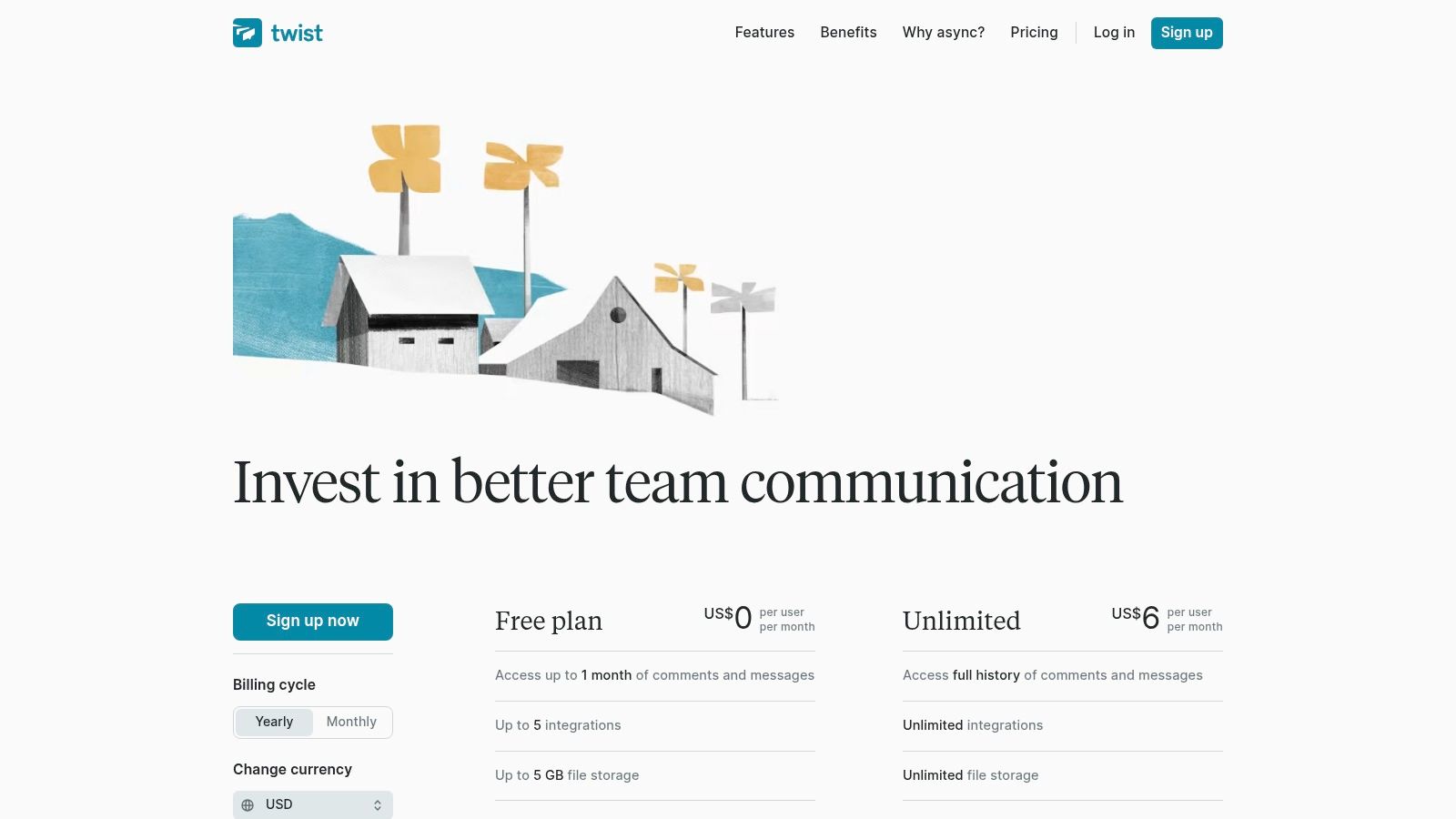
Unlike channel-based tools where conversations can quickly become fragmented, Twist's core strength is its threaded model. Every conversation starts as a thread with a clear subject, ensuring discussions stay on topic and don't get lost in a sea of unrelated messages. This makes it an excellent choice for distributed teams across different time zones, as team members can catch up on their own schedule without feeling overwhelmed. It also offers a separate, more immediate messaging feature for quick, direct chats when needed.
The user experience is clean and minimalist, intentionally steering users away from the notification-heavy environment of many other remote team communication tools. Twist’s integrations with common tools like Todoist, GitHub, and Figma help streamline workflows, though its ecosystem is smaller than that of major competitors. It’s built for deliberate, thoughtful collaboration rather than rapid-fire brainstorming.
Website: https://twist.com/pricing
YodelPhone is a browser-based international calling service that provides a simple solution for remote teams needing to connect with traditional phone numbers (PSTN). Unlike comprehensive platforms, it focuses on one thing: making affordable, high-quality international calls directly from a web browser without any downloads or installations. Its strength lies in its pay-as-you-go model, which allows teams to share credits and make cross-border calls without being locked into monthly subscriptions.
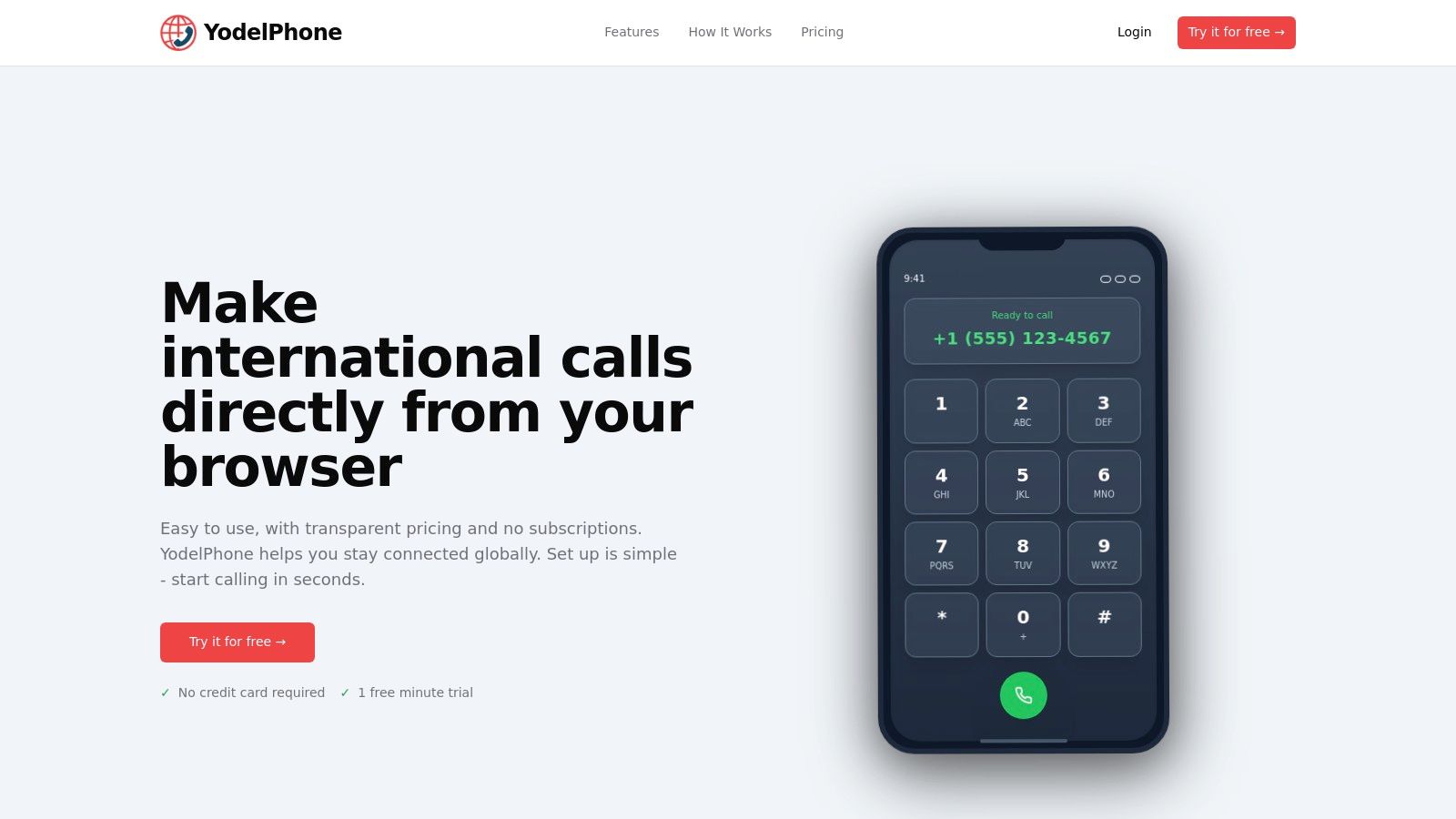
This tool serves as an excellent complement to existing remote team communication tools like chat or video conferencing platforms when a standard phone call is necessary. Features like dedicated virtual numbers for inbound calls, call analytics, and a custom caller ID help teams establish a local presence in different regions and maintain a professional appearance. The quick startup process and transparent per-minute rates make it a practical choice for ad-hoc voice communication needs.
The user experience is straightforward, centering on a simple dialer within the browser. While it lacks the collaboration features of a full UCaaS system, its focused purpose makes it highly effective and easy for any team member to adopt immediately. It’s an ideal way to add PSTN reach to your communication toolkit.
Website: https://yodelphone.com/
| Product | Core features ✨ | UX/Quality ★ | Value & Pricing 💰 | Target Audience 👥 |
|---|---|---|---|---|
| YodelPhone 🏆 | ✨ Browser-based international calling; pay‑as‑you‑go to 180+ countries; shared team credits; custom caller ID; buy local numbers | ★★★★☆ Clear, encrypted calls; browser-dependent on bandwidth | 💰 $0.019–0.034/min samples; no subscriptions; 1‑min free trial; $5 referrals | 👥 Individuals, freelancers, SMBs, remote teams, support |
| Slack | ✨ Channels, DMs, Huddles, 2,600+ integrations, AI summaries | ★★★★☆ Polished UX; can be noisy without governance | 💰 Freemium → per‑user paid tiers; costs grow with scale | 👥 Startups→enterprises needing integrations & async chat |
| Microsoft Teams | ✨ Chat, channels, meetings, Teams Phone, deep M365 integration | ★★★★☆ Enterprise-grade; can feel heavy for small teams | 💰 Bundled with Microsoft 365 (good value if already on M365) | 👥 M365 organizations, enterprises, IT-managed orgs |
| Zoom Workplace | ✨ HD meetings, Zoom Phone add-on, whiteboards, AI Companion | ★★★★★ Best-in-class meeting quality & reliability | 💰 Tiered pricing; add-ons for phone/advanced features | 👥 Teams prioritizing meetings, events, rooms |
| Google Workspace (Chat & Meet) | ✨ Chat & Meet + real‑time Docs; Gemini AI integrations | ★★★★☆ Browser-native collaboration; smooth workflows | 💰 Included in Workspace tiers; per‑user pricing | 👥 Browser-first teams, SMBs, document-collab users |
| Webex Suite | ✨ Meetings, Webex Calling, AI assistant, FedRAMP options | ★★★★☆ Secure & compliant; admin complexity | 💰 Enterprise pricing; strong compliance value | 👥 Regulated/public sector, enterprises |
| RingCentral | ✨ Cloud PBX, SMS/MMS, auto-attendant, call analytics, 300+ integrations | ★★★★☆ Mature telephony features; rich admin tools | 💰 Subscription plans (annual options); can be complex | 👥 Businesses replacing PBX, contact centers |
| Discord | ✨ Always‑on low‑latency voice, roles, bots, Nitro upgrades | ★★★★☆ Fast voice UX; community-first design | 💰 Free core; Nitro subscription for HD & extras | 👥 Communities, dev teams, casual always‑on voice rooms |
| Loom | ✨ One‑click async video, transcriptions, AI summaries & chapters | ★★★★☆ Easy sharing; reduces live meetings | 💰 Freemium; AI & management on paid plans | 👥 Async-first teams, product/design, training |
| Mattermost | ✨ Self-hosted or cloud chat, strong security/compliance, DevOps integrations | ★★★☆☆ Strong security; more operational overhead | 💰 Paid tiers / self-host costs; good for compliance needs | 👥 Gov, regulated orgs, dev teams needing data ownership |
| Twist | ✨ Topic-threaded conversations, guest access, full-history on paid plans | ★★★☆☆ Calm, focused async UX (less real-time features) | 💰 Affordable per-user pricing for async teams | 👥 Distributed teams prioritizing deep work and focus |
Navigating the vast landscape of remote team communication tools can feel overwhelming, but building a powerful, integrated technology stack is the cornerstone of a successful distributed team. As we've explored, the "best" tool doesn't exist in a vacuum. The ideal solution is a carefully curated ecosystem of platforms that align with your team's specific workflows, culture, and business objectives. The goal is not to find a single, all-encompassing application, but to strategically combine tools that solve distinct communication challenges.
A persistent chat platform like Slack or Microsoft Teams acts as your virtual office, a central hub for asynchronous updates and quick queries. For synchronous, face-to-face collaboration, a reliable video conferencing tool such as Zoom or Google Meet is non-negotiable. However, the most significant differentiator for a truly effective remote setup often lies in how you handle external communication, especially with clients and customers. This is where a dedicated business phone system becomes critical.
The journey to an optimized remote communication strategy involves more than just picking popular software. It requires a thoughtful evaluation of your team's unique needs. As you move forward, keep these core principles in mind:
Armed with this comprehensive overview of the top remote team communication tools, your next step is to audit your current processes. Don't just look at the tools you have, but analyze the communication gaps that exist.
Ultimately, crafting the perfect set of remote team communication tools is an iterative process. It requires listening to your team, understanding your customer journey, and being willing to adapt. By focusing on integration, context, and scalability, you can build a communication infrastructure that not only supports your remote team but actively accelerates its success.
Ready to bridge the gap between your internal chat and external client conversations? YodelPhone integrates directly into tools like Slack and Microsoft Teams, bringing a powerful business phone system into the platforms your team already loves. Try YodelPhone today to professionalize your client communication and centralize your remote workflow.

Try a free international call trial instantly in your browser - no downloads or card required. Test call quality and connect globally in seconds.

Uncover what is VoIP and how does it work with this clear, step-by-step guide. Learn the basics, benefits, and how to start making calls over the internet.

Discover how international VoIP calls can save you money and simplify global communication. Learn how they work and how to get started in minutes.

Discover how to reduce phone bills with simple audits, smarter plan choices, and money-saving tools.